

Please ensure that you are logged in to Zoom with the same email used to register for the event!
Asked to Register or Sign in? Tap here for more insight or see instructions below!
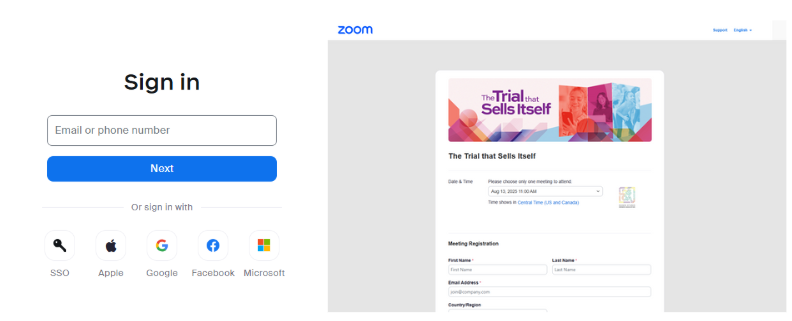
SIGN IN TO YOUR ZOOM ACCOUNT
- Make sure you're signed in to Zoom using the same email used to register for this event
-
- Go to zoom.us/signin
- Enter your email and password
IMPORTANT: If you registered with a different email than is associated with your Zoom account, please re-register your correct Zoom-associated email at the link below. This will not require additional payment.
Register with different email: HERE - Once logged in to the Zoom account that matches your event registration, you can click the yellow button that reads "Enter the Zoom Room" above or, from your Zoom account, click JOIN and enter Meeting ID: 821 1642 2256
DON'T HAVE A ZOOM ACCOUNT?
- If you do not have a Zoom account, you can set one up for free following these steps:
-
- Go to https://zoom.us/signup#/signup
- Enter your age
- Enter your Email Address (IMPORTANT!! Make sure you use the email used to register for this event)
- Check your email for the verification code and return to the page to enter it
- Create a password
- Once logged in, click JOIN (usually in the top right navigation bar) and enter Meeting ID: 821 1642 2256
NEED MORE HELP?
Email [email protected] for assistance. And don't worry! You'll have full access to the recording to catch up on anything you missed if you're running late due to tech issues!
Copyright© DSOA 2025. All Rights Reserved. PRIVACY POLICY | SITE TERMS OF USE | earnings disclaimer